Great news for agencies and SEOs alike! With Link Building HQ’s new bulk order feature, you can order multiple links seamlessly.
Is This Feature For Me?
While bulk ordering is a free feature available to all our users, if you’re someone who places an order for only a few links at a time, say 2 or 3, then this feature isn’t really for you.
This option is best suited for individuals or agencies dealing with dozens or hundreds of orders at a time. So, if you’re managing a huge load of orders and use a CMS or a good old Excel file to keep track of everything, Link Building HQ’s bulk order feature will make this process smoother, simpler, and easier for you. By downloading the xlsx (Excel) file, you can compile all your order details at your convenience and upload the document later. There is no need to add each link individually, slowly, or laboriously.
How Does It Work?
It’s really simple.
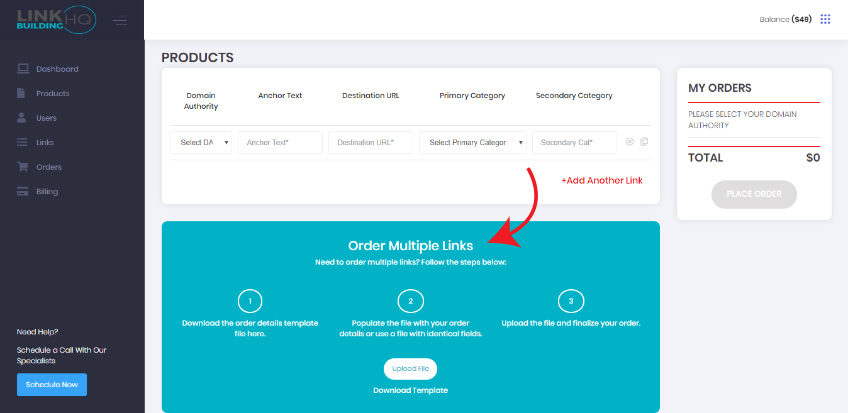
Step 1: Just go to Products to place an order. You will see an option to order multiple links with easy-to-follow instructions.
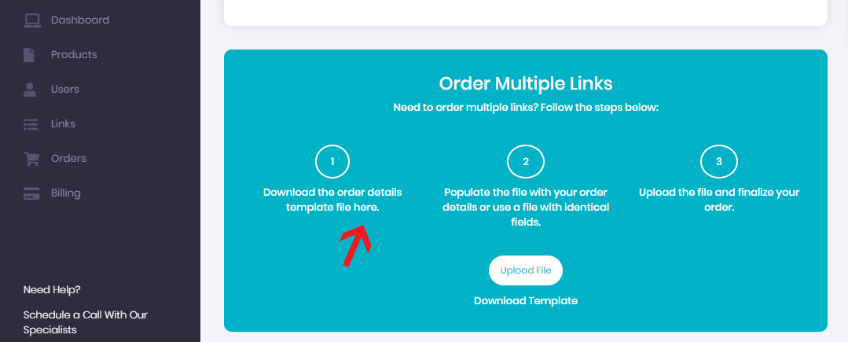
Step 2: Download the Excel file that has been pre-designed by Link Building HQ.
Step 3: Enter your bulk order details.
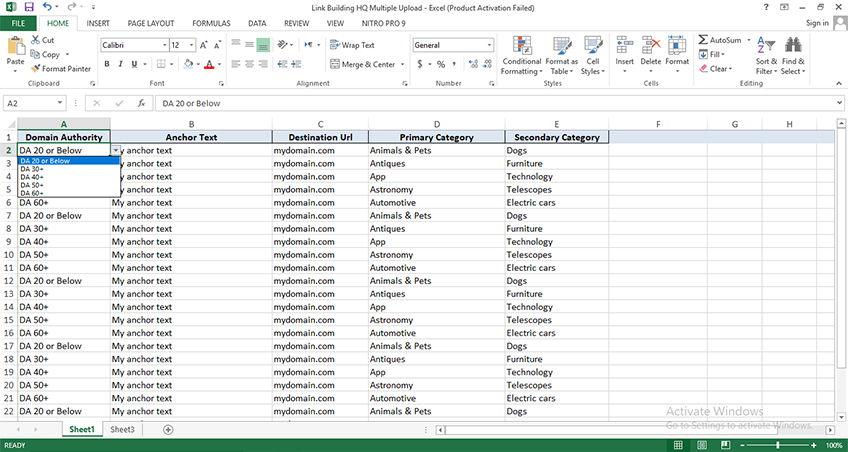
Columns such as Domain Authority and Primary Category come with a pre-determined field to choose from.

Step 4: Upload the file.

Step 5: Place your order.
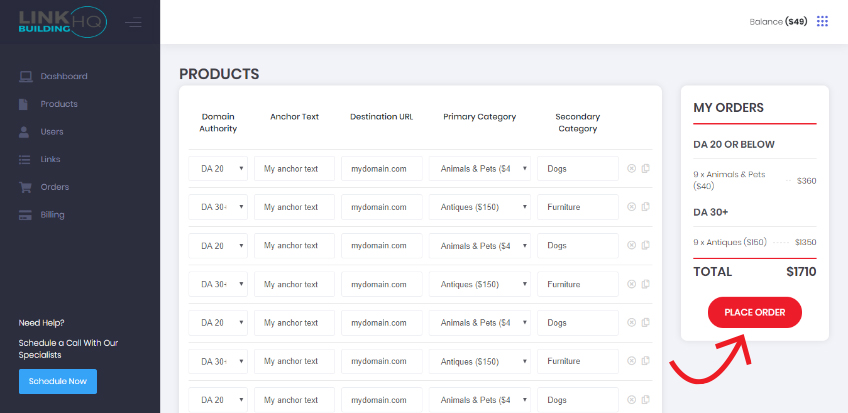
Link Building HQ will begin processing your order and deliver all links in 25 business days. If that sounds like a great deal that’s because it is! Place your bulk order today and see the results for yourself.